

Table of Contents
- Best Budget Smart Home Gadgets 2026: Quick Comparison
- Smart Home Gadgets Under $50 That Actually Work
- Renter-Friendly Smart Home Devices (No Installation Required)
- Easy to Install Smart Home Gadgets for Beginners
Best Budget Smart Home Gadgets 2026: Top Picks Under $50
Last Updated: July 28, 2026
Finding the best budget smart home gadgets 2026 doesn't mean settling for cheap knockoffs or overpaying for features you'll never use. At The Daily Drop by Ed Rivera, we've tested affordable smart home devices that actually deliver on their promises. Most budget smart home gadgets under $50 work just as reliably as premium counterparts, and some outperform options costing three times the price.
According to recent smart home adoption data from the Consumer Technology Association, nearly 70% of American households now own at least one smart home device, yet price remains the top barrier to expanding those setups.
Best Budget Smart Home Gadgets 2026: Quick Comparison
| Product | Price Range | Best For | Standout Feature |
|---|---|---|---|
| TP-Link Kasa Smart Plug Mini | $15-$20 | Beginners, lamp control | Compact design, no hub needed |
| Wyze Cam v3 | $25-$35 | Indoor/outdoor security | Color night vision |
| Amazon Echo Dot (5th Gen) | $49.99 | Alexa ecosystem users | Smart home hub capability |
| Google Nest Mini | $25-$30 | Google ecosystem users | Compact, wall-mountable |
| Govee LED Strip Lights | $20-$30 | Accent lighting | Music sync, millions of colors |
| Aqara Door and Window Sensor P2 | $26.99 | Matter-enabled homes | Thread support, future-proof |
Smart Home Gadgets Under $50 That Actually Work
Budget smart home gadgets are no longer slower or less reliable than premium models. Modern Wi-Fi and Bluetooth LE technology has matured enough that entry-level devices maintain stable connections just as well as premium options.
TP-Link Kasa Smart Plug Mini at $15-$20 sits at the foundation of any smart home setup. This compact plug controls any connected device remotely through the Kasa Smart app without requiring a separate hub. Its small size won't block adjacent outlets on a power strip. Voice control works with both Amazon Alexa and Google Assistant. Setup takes under two minutes. The HS103 model lacks energy monitoring, but for basic automation of lamps, fans, and coffee makers, that's rarely a dealbreaker.
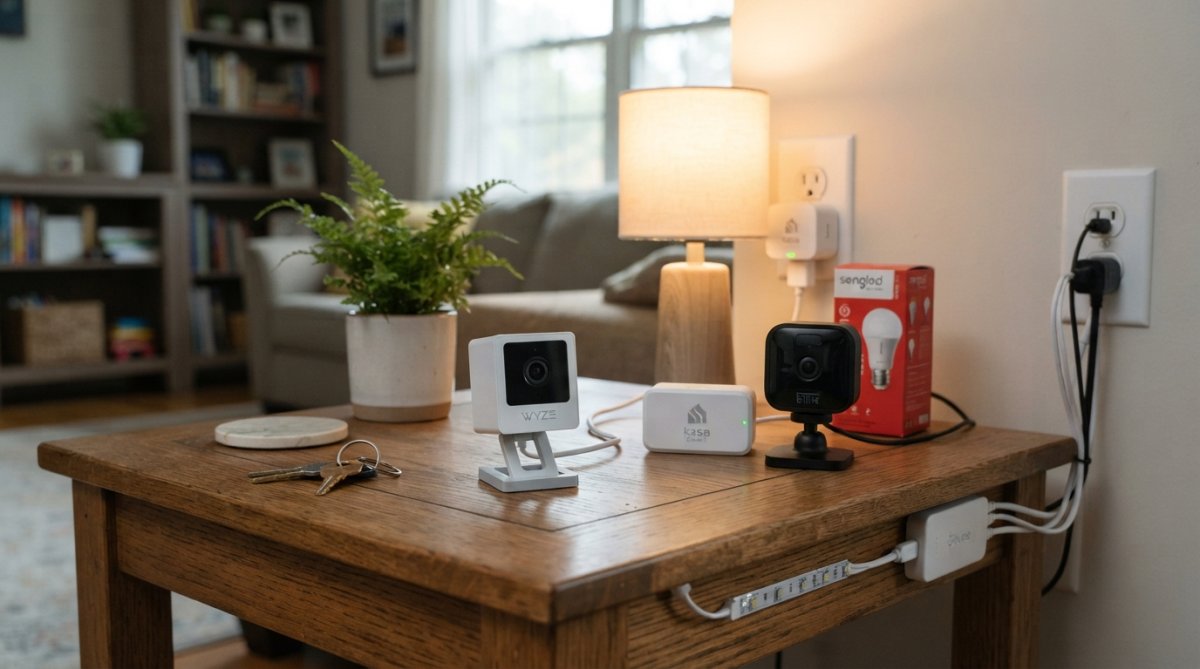
Wyze Cam v3 delivers 1080p HD video with color night vision for under $30 on sale. The camera handles both indoor and outdoor mounting thanks to IP65 weather resistance. Two-way audio and motion detection send real-time alerts to your phone. Cloud storage covers 12-second clips free; a microSD card slot offers local storage without subscription fees. Advanced AI detection features require a Cam Plus subscription, but basic security monitoring punches well above its price point.
Amazon Echo Dot (5th Gen) at $49.99 includes Zigbee hub functionality, opening compatibility with hundreds of smart devices that don't require Wi-Fi. Improved audio quality means you can actually enjoy music. Built-in temperature sensing lets you create automations based on room conditions. It's primarily tied to the Amazon ecosystem.
Google Nest Mini at $25-$30 serves Google ecosystem users with wall-mounting capability and seamless integration with Google services like Gmail, Calendar, and Photos. The fabric cover is made from recycled plastic bottles. Like Echo Dot, it uses a proprietary power plug rather than USB-C.
Renter-Friendly Smart Home Devices (No Installation Required)
Renters need plug-and-play smart home gadgets that require zero permanent modifications.
Govee LED Strip Lights exemplify renter-friendly design. Adhesive backing lets you stick them to walls, shelves, or behind TVs without drilling. The app offers millions of color combinations, and music sync mode makes lights react to audio. Voice control works with Alexa and Google Assistant. The adhesive backing peels off cleanly when you move.
Aqara Door and Window Sensor P2 at $26.99 detects when doors or windows open and sends alerts to your phone. Native Matter over Thread support means it works across different smart home ecosystems. It requires a Thread Border Router (like a compatible Echo or Nest speaker) to function fully.
Wyze Cam v3 can mount with adhesive strips rather than screws, making it genuinely renter-friendly. Position it on a shelf, use strips to secure the cable, and remove them cleanly when you move.
Easy to Install Smart Home Gadgets for Beginners
The best budget smart home gadgets 2026 are designed for zero technical knowledge.
Smart plugs require one action: plug them in. The TP-Link Kasa Smart Plug Mini needs no hub, wiring, or complex configuration beyond downloading the app. Setup takes under two minutes.
Cameras are slightly more involved. Wyze Cam v3 ships with a mounting bracket, USB power cable, and clear instructions. Plug it in, scan the QR code with the Wyze app, and you're monitoring.
Smart speakers like Echo Dot and Nest Mini require under five minutes. Plug it in, open the companion app, select your Wi-Fi network, and confirm your account.
The real barrier isn't installation; it's understanding what you can do with these devices. A smart plug controlling a lamp can turn on automatically at sunset. A smart speaker can read your calendar aloud each morning. A camera can send alerts when motion occurs.
The barrier to a functional smart home isn't cost or technical complexity anymore. The best budget smart home gadgets 2026 have closed the gap between entry-level and premium so dramatically that you're not sacrificing quality by choosing affordable options. Start with The Daily Drop by Ed Rivera, where you'll find curated selections of smart home devices at competitive prices. The platform's rotating inventory means you'll discover deals on devices like Wyze cameras and smart plugs that normally cost more elsewhere. With bulk pricing available for larger orders and new deals added regularly, The Daily Drop by Ed Rivera makes it easy to build a functional smart home without overspending.
Frequently Asked Questions
What are the most useful smart home gadgets under $50?
The most practical budget smart home gadgets include smart plugs like the TP-Link Kasa Mini for remote control and scheduling, the Wyze Cam v3 for security monitoring with local storage, and the Google Nest Mini for voice-activated automation. These devices offer real functionality without requiring a hub and integrate with major voice assistants. The Aqara Door and Window Sensor adds security monitoring via Matter protocol, future-proofing your smart home investment.
Are cheap smart home gadgets reliable for long-term use?
Budget smart home gadgets from established brands like TP-Link, Google, Wyze, and Aqara offer strong reliability for their price point. Key factors include firmware updates, which provide security patches and feature improvements, and local control options that don't depend on cloud connectivity. Check product reviews for specific reliability reports. Most sub-$50 devices have proven track records, though premium models may offer additional features like advanced AI detection or extended warranties.
Can I build a complete smart home on a budget without a hub?
Yes, many budget smart home gadgets work without a dedicated hub. Wi-Fi-connected devices like smart plugs, cameras, and speakers function independently. However, Thread-based devices like the Aqara sensor require a Thread Border Router (some smart speakers provide this). Starting with Wi-Fi devices keeps costs low and setup simple. As your smart home grows, adding a hub enables more sophisticated automation and improves reliability, but it's not required for basic functionality.
What's the difference between budget smart home gadgets and premium options?
Premium smart home gadgets typically offer advanced features like AI-powered detection, higher video resolution, faster response times, and longer software support. Budget options prioritize core functionality: basic automation, voice control, and essential security. For beginners, budget gadgets deliver excellent value. The trade-off is fewer customization options and potentially shorter update cycles. Many users find budget devices perfectly adequate for everyday use, especially when choosing brands with established support records.
How do I ensure budget smart home gadgets work together?
Look for devices supporting common standards like Matter protocol, Thread, Wi-Fi, or Bluetooth LE for broad compatibility. Check that devices work with your preferred voice assistant (Amazon Alexa or Google Assistant). Avoid mixing incompatible ecosystems, Apple HomeKit devices won't work with Alexa without a bridge. Start with devices from the same brand or ecosystem, then expand. Most budget gadgets list compatibility on product pages. Test interoperability before committing to multiple devices in different ecosystems.
This article was written using GrandRanker