

Table of Contents
- Why Smart Home Automation Matters for Renters
- Renter-Friendly Smart Home Devices That Actually Work
- Building a Budget Smart Home Starter Kit
- How to Automate a Rental Property Without Landlord Conflicts
- Energy Savings and Cost Benefits
- Interoperability and Device Compatibility Made Simple
- Moving Out: Taking Your Smart Home With You
- Conclusion
- Frequently Asked Questions
Last Updated: September 1, 2026
Why Smart Home Automation Matters for Renters
Smart home automation for renters has become practical rather than luxury. Unlike homeowners, renters can't rewire walls or drill holes, yet modern devices are built specifically for this challenge. Adhesive sensors replace screws. Plug-and-play devices replace hardwired installations. This means you can automate your apartment, take everything when you move, and never lose your investment.
At The Daily Drop by Ed Rivera, we focus on helping you find quality products at prices that make sense. The real question isn't whether smart home automation works for renters, it's how to build a system that fits your space, budget, and lease agreement without creating landlord friction.
Renter-Friendly Smart Home Devices That Actually Work
Smart Plugs and Outlets
Smart plugs are the foundation of renter-friendly automation. They require zero installation, just plug them in and pair with your phone.
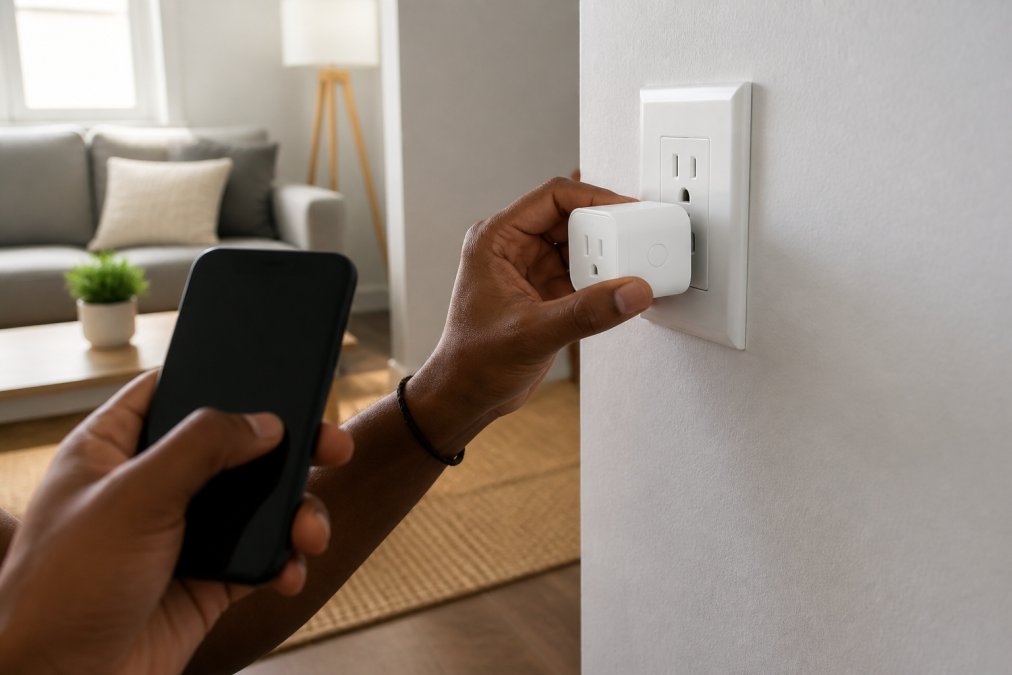
The TP-Link Kasa Smart Wi-Fi Plug Mini (EP25) is compact enough that it doesn't block adjacent outlets. It monitors energy consumption, so you can see exactly how much power your devices use. You can schedule devices to turn on and off automatically, imagine your coffee maker starting five minutes before you wake up or your heater kicking on an hour before you get home.
Most people think of smart plugs as remote on/off switches, but the real value is automation. Set rules like "turn off the bedroom lamp if motion isn't detected for 30 minutes" or "shut down all entertainment devices at midnight." These automations run locally on your home network, so they work even if your internet goes down. The trade-off is Wi-Fi dependency, weak signal in certain rooms may cause connection issues.
Smart Lighting Solutions
Lighting is where smart home automation becomes genuinely enjoyable. Swapping a regular bulb for a smart bulb takes 10 seconds.
The Philips Hue White and Color Ambiance Smart Bulb offers millions of colors and tunable white light. Warm light in the evening supports better sleep; bright white light during work hours improves focus. You can automate these transitions without touching anything. The catch is that full features require a Hue Bridge (extra cost), though basic dimming and color control work through Bluetooth directly.
The Wiz Connected Smart Bulb takes a different approach. No bridge required, it connects directly to Wi-Fi, so you can control it from anywhere. Both systems integrate with voice assistants, eliminating the need for wall switches your landlord would notice.
Building a Budget Smart Home Starter Kit
A functional smart home for renters can be built incrementally. Start with a voice assistant. The Amazon Echo Dot (5th Gen) costs around $50 and becomes your command center. From there, add devices based on actual needs:
- Voice assistant first - hands-free control and central hub
- Smart plugs second - turn lamps, fans, and appliances into controllable devices
- Smart bulbs third - replace your most-used lights
- Security devices last - cameras and sensors for peace of mind
You own every device outright. When you move, you pack them up and take them to your next place. The mistake renters make is buying too many devices at once. Buy one smart plug, use it for a month, and see if the automation improves your life. If it does, add another.
How to Automate a Rental Property Without Landlord Conflicts
The key distinction is reversibility. Smart plugs, bulbs, and wireless sensors leave zero trace. You plug them in, pair them, and use them. When you move out, you unplug everything and take it with you.
Smart locks present a different case. The August Wi-Fi Smart Lock attaches to the inside of your existing deadbolt without removing the exterior lock. However, check your lease before installing one, some landlords prohibit any changes to locks. A conversation beforehand prevents disputes later.
Thermostats require the most caution. The Sensi Smart Thermostat (ST55) is designed for easy removal, but installation still involves accessing your HVAC system. Some apartments have thermostats locked behind covers, or your system may not support the thermostat's requirements. Confirm compatibility before purchasing.
The pattern is simple: if a device can be installed and removed without tools or damage, it's safe for renters. If it requires drilling, wiring, or permanent modification, get written permission from your landlord first.
Energy Savings and Cost Benefits
Smart home automation for renters delivers measurable energy savings by eliminating waste through automations that prevent devices from running when you're not home or don't need them.
How Smart Plugs Reduce Energy Waste
A typical space heater draws 750-1500 watts when running (energy.gov). If you leave it on for 8 hours while at work, that's 6-12 kilowatt-hours of wasted energy per day. At an average rate of $0.14 per kilowatt-hour, that's roughly $0.84-$1.68 in wasted cost per day, or $25-$50 per month. A smart plug that turns the heater off automatically when you leave saves that entire cost and pays for itself in one month.
Smart plugs also monitor energy consumption in real time. This visibility often changes behavior: when you see that your coffee maker draws 800 watts or your laptop charger draws 5 watts even when unplugged, you're more likely to unplug devices or turn them off manually.
Smart Thermostats: The Largest Potential Savings
Heating and cooling account for roughly 40-50% of apartment energy use (energy.gov). A smart thermostat can reduce this by 10-15% through automated temperature adjustments (energystar.gov).
The Sensi Smart Thermostat learns your patterns and adjusts temperature automatically. For a renter in a 1,000 square-foot apartment in a temperate climate, this can save $10-$20 per month. In colder or hotter climates, savings can reach $30-$50 per month, $120-$600 annually. The $100-$150 upfront cost pays for itself within 2-6 months if your apartment has a compatible system.
Smart Lighting: Modest but Consistent Savings
Smart bulbs use similar amounts of energy to LED bulbs. The savings come from automation. If you automate lights to turn off when you leave a room or at a set time, you eliminate the cost of lights running in empty rooms. For 5 automated lights, you save $5-$60 per month depending on whether they're incandescent or LED, meaningful over a year.
Realistic Expectations for Renters
Total energy savings depend on your starting point. If your apartment already has LED bulbs and a programmable thermostat, smart home automation adds 5-10% savings. If you have incandescent bulbs and a manual thermostat, savings can reach 20-30%.
Beyond direct savings, smart home automation creates awareness. When you see real-time energy consumption, you make better decisions. You notice that your space heater costs $2 per day to run and decide to use it only in the bedroom. These behavioral changes often save more than the automations themselves.
Interoperability and Device Compatibility Made Simple
The smart home market has historically been fragmented. Devices from different manufacturers didn't talk to each other seamlessly, creating frustration when devices fail to pair or lose connection.
The Matter Standard Solves This, But Only Partially
Matter is a wireless protocol that lets devices communicate across ecosystems. A Matter-certified device works with Alexa, Google Home, Apple Siri, and other platforms simultaneously. The TP-Link Kasa Smart Plug Mini supports Matter, which means it works with whichever voice assistant you choose now or switch to later without requiring a separate app or bridge.
However, Matter adoption is still ramping up. Not every device supports it yet, and older devices may never receive Matter updates.
Troubleshooting Interoperability for Beginners
When a device fails to pair, the issue usually falls into one of three categories:
1. Hub vs. Direct Connection - Some devices require a hub (like the Philips Hue Bridge) to work with multiple platforms. Before purchasing, check the product specifications for "hub required" or "hub optional."
2. Network Band Conflicts - Some smart devices only connect to 2.4 GHz. If your router is set to 5 GHz only, the device won't see your network. Ensure 2.4 GHz is enabled on your router.
3. Ecosystem-Specific Features - A device might pair with multiple platforms but only offer full automation features in one app. Test the device in the ecosystem you plan to use most.
Building a Multi-Platform System Without Frustration
For renters, standardize on one primary platform (Alexa, Google Home, or Apple Siri) and use Matter-certified devices as your foundation. Keep a simple spreadsheet of what you own: device name, manufacturer, connection type, and which platforms it supports. When you move, this list helps you quickly reconnect devices to the new Wi-Fi network.
The real advantage for renters is that interoperability problems are temporary. If a device doesn't work in your current apartment's network environment, you can unplug it and try it again in your next place.
Moving Out: Taking Your Smart Home With You
This is the renter's superpower. Every device you own is portable. Smart plugs, bulbs, and sensors pack into a small box. Your voice assistant fits in a bag. Security cameras unplug and go with you.
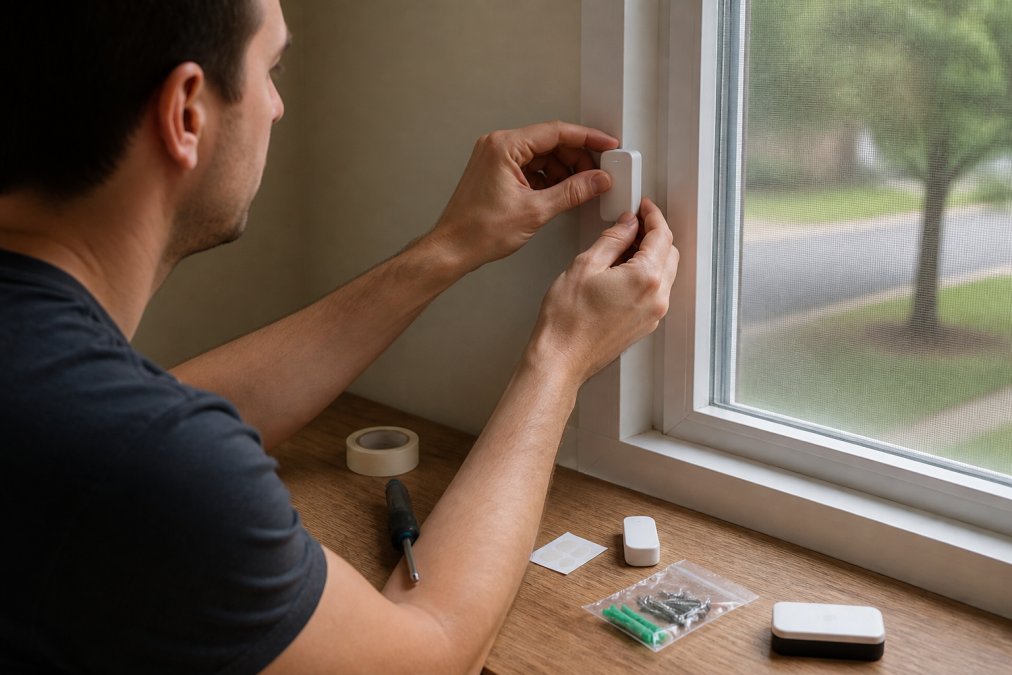
The Abode Smart Security Kit exemplifies this portability. Wireless sensors use adhesive backing instead of screws. The hub is a small device that plugs into power. When you move, you peel off the sensors, pack the hub, and reinstall everything in your new place. No landlord disputes, no permanent modifications left behind.
This portability creates a financial advantage. Your first smart home costs more because you're building from scratch. Your second apartment costs less because you already own the devices. Over time, smart home automation becomes cheaper, not more expensive.
Most devices reconnect to your new Wi-Fi network automatically. A few require manual re-pairing, which takes minutes per device. Within an hour, your entire smart home is operational in your new space.
Conclusion
Smart home automation for renters works because modern devices are built for flexibility. No drilling, no wiring, no landlord conflicts. Just plug them in, pair them, and automate.
The Daily Drop by Ed Rivera makes it easy to find quality smart home devices at prices that don't require a second mortgage. We curate deals on smart plugs, bulbs, security cameras, and voice assistants from trusted brands. Check back regularly for new inventory and bulk pricing options if you're setting up multiple units or managing rental properties.
Start with one device. See how it fits your life. Then expand. Smart home automation for renters is an investment you take with you.
Frequently Asked Questions
Q: Can renters install smart home devices without landlord permission?
A: Most renter-friendly smart home devices require no permanent installation, so you typically don't need landlord approval. Smart plugs, bulbs, and wireless sensors use adhesive backing or simple plug-and-play setup. However, some devices like smart thermostats or locks may require landlord consent depending on your lease. Always check your lease terms and communicate with your landlord before installing anything that modifies the property or affects existing systems.
Q: What's the best way to start a smart home automation system on a budget?
A: Start with a single voice assistant like the Amazon Echo Dot and one or two smart plugs or bulbs. This foundation lets you test what automation actually helps your daily life. Add devices gradually based on what you use most, smart lighting for convenience, smart plugs for energy monitoring, or security sensors for peace of mind. The Daily Drop regularly offers deals on these starter items, making budget-friendly expansion possible over time.
Q: How does smart home automation help save money on utility bills?
A: Smart devices like plugs and thermostats let you monitor and control power consumption remotely. You can schedule heating or cooling to run only when you're home, turn off devices that drain power in standby mode, and set automations that reduce unnecessary usage. Energy monitoring features show exactly what's costing you money. Smart home automation can lead to savings on utilities, though results vary based on usage patterns.
Q: Are smart home devices easy to move when you change apartments?
A: Yes, that's one of the biggest advantages for renters. Plug-and-play devices like smart plugs, bulbs, and wireless sensors move instantly, just unplug and pack. Even larger devices like smart speakers and security system hubs disconnect in seconds and set up in your new place within minutes. The only devices that may require extra steps are those tied to specific Wi-Fi networks or hubs, but most work seamlessly across locations. You own the devices, so they go with you.
Ready to build your smart home? Visit The Daily Drop by Ed Rivera and browse our current selection of smart plugs, lighting solutions, and security devices. New deals added every day. Real savings. Real value.
This article was written using GrandRanker