

Table of Contents
- What You'll Need Before Buying Smart Home Sensors
- Understanding Connectivity Standards for Smart Home Sensors
- Types of Smart Home Sensors and What They Do
- Matter-Compatible Sensor Benefits and Why They Matter
- Smart Home Hub vs Bridge: Which One Do You Need?
- How to Set Up Smart Home Automation Routines
- Security, Privacy, and Sensor Placement Optimization
- Common Mistakes to Avoid When Choosing Your First Sensors
- Frequently Asked Questions
Last Updated: September 1, 2026
Choosing your first smart home sensors feels overwhelming. The market is flooded with options, connectivity standards clash, and privacy concerns linger. But you don't need to understand everything before you start, you need to understand your own constraints first.
At The Daily Drop by Ed Rivera, we help budget-conscious homeowners find quality smart home gear without overpaying. The ones who succeed follow a clear framework: they ask the right questions upfront, choose the right connectivity standard, and avoid mistakes that waste money on incompatible devices.
This guide walks you through how to choose smart home sensors for beginners, from understanding what you need before you buy, to setting up your first automation routines, to avoiding common pitfalls.
What You'll Need Before Buying Smart Home Sensors
Before you spend a dollar, answer three questions.
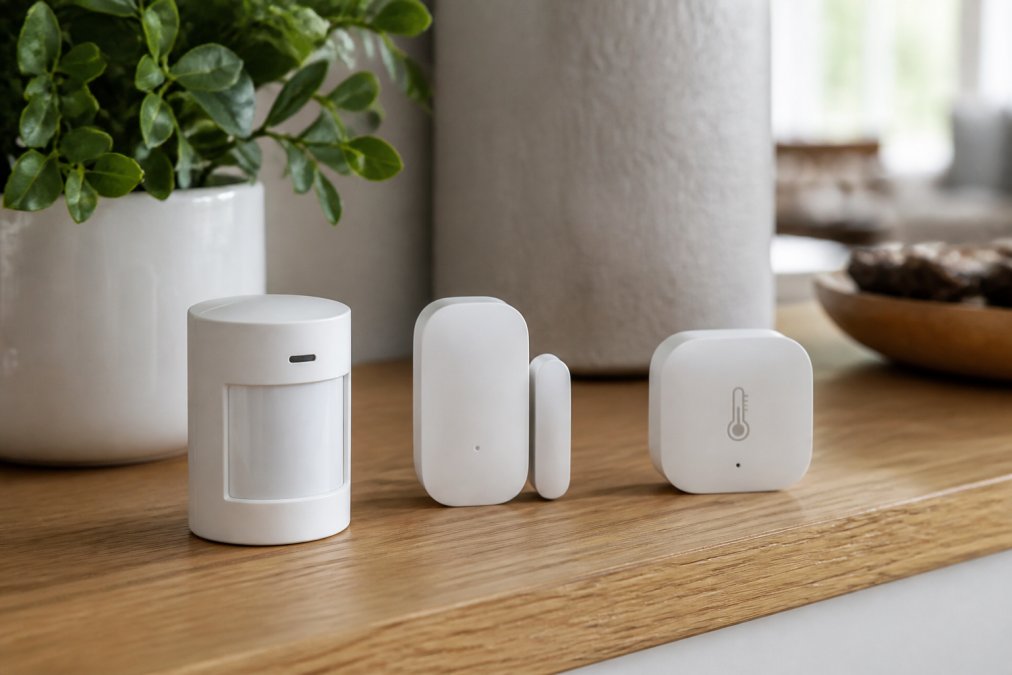
First, what problem are you solving? Smart home sensors aren't about fancy technology, they're about solving a specific pain point. Are you worried about security? Do you want to know if a window is open during winter? Are you automating lights to save energy? The sensor you need depends entirely on your answer.
Second, what connectivity standard makes sense for your home? Some sensors use Wi-Fi, others use Zigbee, Z-Wave, or Matter. Each has different range, power consumption, and compatibility implications.
Third, do you already have a smart home hub or bridge? This device talks to your sensors and lets you control them from your phone. Some people already own one built into a smart speaker. Others need to buy one separately.
Understanding Connectivity Standards for Smart Home Sensors
Wi-Fi sensors connect directly to your home internet. They're simple to set up and work with almost any phone or app. The downside: they drain batteries quickly, so Wi-Fi sensors are usually hardwired or plugged in. They also add congestion to your home network.
Zigbee sensors form their own mesh network. Each sensor relays signals through others, extending range dramatically. They're extremely power-efficient, so battery-operated sensors last for years. You need a Zigbee hub to use them.
Z-Wave sensors work similarly to Zigbee with excellent battery life and extended range through relay. Z-Wave and Zigbee devices generally don't talk to each other. If you pick Z-Wave, stick with Z-Wave.
Matter is the newer standard designed to solve fragmentation. Matter sensors work across multiple ecosystems, so you're not locked into one platform. However, adoption is still rolling out, so not every sensor or hub supports it yet.
For beginners: if you want the easiest setup and don't mind plugging devices in, Wi-Fi works fine. If you want battery-powered sensors that last years, Zigbee or Z-Wave are better. If you want maximum flexibility, look for Matter-compatible options.
Matter smart home standard overview
Types of Smart Home Sensors and What They Do
Motion Detection Sensors
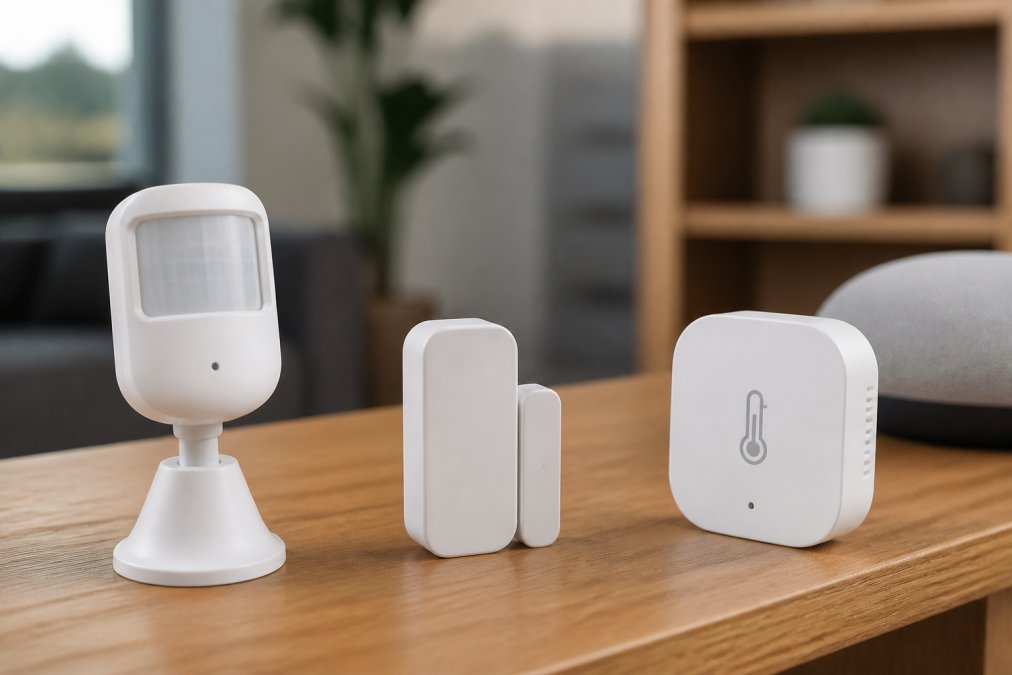
Motion detection sensors use infrared to spot movement in a room. They're useful for security, automation, or energy savings. A typical motion sensor has a range of 20 to 30 feet and works best when mounted 4 to 6 feet high on a wall with a clear view of the area. Avoid pointing them at windows or heat sources, which trigger false positives.
Battery-operated motion sensors last 1 to 2 years depending on activity (peer-reviewed research). When choosing one, think about where you'd mount it, a hallway sensor needs different coverage than a living room sensor.
Contact Sensors
Contact sensors detect when a door or window opens or closes. They're the most reliable sensor type for security. A magnet on the door separates from a sensor on the frame when the door opens, triggering an alert.
These sensors are simple, cheap, and incredibly reliable with no false positives. Battery life is exceptional, often 3 to 5 years. They work with any connectivity standard and integrate into any smart home ecosystem. Use them on entry doors, garage doors, and windows you care about.
Moisture and Temperature Sensors
Moisture sensors detect water; temperature sensors measure ambient air temperature. Moisture sensors are useful in basements, under sinks, or near water heaters to catch leaks early. Temperature sensors help you understand which rooms are heating or cooling properly.
These sensors are more about awareness than automation. You're getting notified if something goes wrong rather than triggering automatic actions.
Matter-Compatible Sensor Benefits and Why They Matter
A Matter-compatible sensor gives you flexibility that older standards don't. You're not locked into one ecosystem, buy a Matter motion sensor today and it works with your current hub. Upgrade to a different hub next year and the sensor still works.
Matter also promises better security with encryption and authentication built in from the start. Older protocols added security later, sometimes inconsistently.
The practical reality: Matter adoption is still early. Not every sensor is available in Matter yet, and not every hub supports it. If you're buying your first sensor today, you might not find a Matter option in your price range. But if you're planning to expand over the next year or two, prioritizing Matter-compatible devices now means you'll have options later.
Smart Home Hub vs Bridge: Which One Do You Need?
A smart home hub is a dedicated device that manages your sensors and automation. It connects to your home internet and acts as the brain of your system. Popular hubs include Amazon Echo Show, Apple HomePod, and Samsung SmartThings Hub.
A bridge connects two different ecosystems. For example, a Zigbee bridge lets Zigbee sensors work with a Wi-Fi smart speaker.
For beginners: if you're using Wi-Fi sensors, you don't need a hub, they connect directly to your home network. If you're using Zigbee or Z-Wave, you need a hub that supports that standard. Before buying any sensor, check whether your existing devices already include a hub. Many smart speakers have built-in hubs.
How to Set Up Smart Home Automation Routines
Once you have your sensors, automation routines unlock their real power. A routine is a set of actions triggered by a sensor event. The simplest routine is: motion detected → turn on light.
Here's the process:
-
Open your hub's app and find the automation or routine section.
-
Create a new routine and give it a clear name like "Bedroom Motion Light."
-
Set the trigger. This is the sensor event that starts everything, motion detected, door opened, or temperature drops below 62°F.
-
Set the condition. This is optional but useful. You might say "only between 8 PM and 6 AM" or "only on weekdays."
-
Set the action. This is what happens when the trigger fires, turn on a light, unlock a door, send a notification.
-
Test it. Walk in front of the motion sensor or open the door. Does it work?
Start with one trigger and one action. Once that works, add complexity.
Security, Privacy, and Sensor Placement Optimization
Smart home sensors collect data about your home and habits. This raises legitimate security and privacy concerns.
Local processing vs. cloud processing: Some hubs process automation locally, meaning your sensor data never leaves your home. Others send data to the cloud. Local processing is more private; cloud processing gives you remote access.
Encryption: Look for sensors that use encryption for all communication. Most modern sensors do this.
Firmware updates: Sensors need regular firmware updates to patch security vulnerabilities. Check whether your sensor manufacturer provides updates and how often.
Sensor placement optimization prevents false positives and protects privacy. Motion sensors pointed at windows trigger every time a car passes by. Mount them to see the area you care about. Contact sensors should be on doors and windows you actually use. Temperature sensors work best away from heat sources. Moisture sensors belong in places where water problems are likely, under sinks, in basements, near water heaters.
Privacy considerations for smart home devices
Common Mistakes to Avoid When Choosing Your First Sensors
Mistake 1: Buying too many sensors at once. Start with one sensor that solves one problem. Expand from there.
Mistake 2: Ignoring connectivity standards. Check compatibility before you buy. A Zigbee sensor won't work with a Z-Wave hub.
Mistake 3: Assuming all hubs are the same. Some support Zigbee, others support Z-Wave, others support both. Some have local processing, others require the cloud. Know what your hub actually does.
Mistake 4: Placing sensors poorly. A motion sensor pointed at a window gives false positives. Think about placement before installation.
Mistake 5: Overcomplicating automations. Your first routine should be simple. Motion detected turns on light. Once that works reliably, add complexity.
Mistake 6: Forgetting about battery life. Battery-operated sensors need replacement eventually. Some last 1 year, others last 5. Know what you're buying.
Mistake 7: Not checking reviews. Read reviews from people who've actually used the sensor. Look for patterns in complaints.
Building a smart home doesn't have to be complicated or expensive. The key is starting small, understanding your constraints, and choosing sensors that actually solve your problems. At The Daily Drop by Ed Rivera, we help you find quality smart home sensors at prices that make sense, so you can build the system you want without overpaying for features you don't need. Start with one sensor, master your first automation routine, and expand from there. The rest becomes obvious once you understand how the pieces fit together.
Frequently Asked Questions
Which smart home sensors are essential for beginners?
Start with motion detection sensors for lighting automation and contact sensors for doors and windows to monitor entry points. These two types give you immediate security and energy savings without overwhelming complexity. Add temperature sensors later if you want climate control automation. Most beginners find these three sensor types cover 80% of their home automation needs.
What is the difference between Wi-Fi, Zigbee, and Matter-enabled sensors?
Wi-Fi sensors connect directly to your internet router but consume more battery power. Zigbee sensors use less power and create a mesh network where devices relay signals through each other, extending wireless range. Matter is a newer standard designed for interoperability, allowing sensors from different brands to work together on the same hub. For beginners, Matter-compatible sensors offer the best long-term flexibility as the ecosystem expands.
Do I need a smart home hub to use sensors?
Most sensors need a hub or bridge to function. A hub acts as the central control point, receiving sensor signals and triggering automations. Some Wi-Fi sensors work without a hub, but they drain batteries faster and offer limited automation options. A bridge is similar to a hub but typically controls a specific protocol like Zigbee. For beginners building a system, investing in a hub upfront prevents compatibility headaches later.
How do I ensure my smart home sensors are compatible with each other?
Check that all sensors use the same connectivity protocol (Wi-Fi, Zigbee, Z-Wave, or Matter) and work with your chosen hub or platform. Look for compatibility lists on the hub manufacturer's website. Matter-compatible sensors are your safest bet for future-proofing because Matter is designed to reduce compatibility issues across brands. Before buying, verify each sensor works with your specific hub model to avoid returns.
This article was written using GrandRanker