

Table of Contents
- Smart Home Gadgets for Home Office: What You Need to Know
- Top Smart Home Gadgets for Home Office Productivity
- Building a Budget Smart Home Office Setup
- Smart Home Automation Companies and Ecosystem Integration
- Energy Efficiency Monitoring and Mental Wellness Tech
- Conclusion
Last Updated: August 21, 2026
Smart Home Gadgets for Home Office: What You Need to Know
The right smart home setup transforms how you work by eliminating distractions, maintaining focus, and adapting to your needs without constant manual adjustment. At The Daily Drop by Ed Rivera, we're committed to helping you find quality smart home gadgets for home office environments at prices that make sense.
Most remote workers underestimate how much their physical environment affects productivity. Temperature swings break concentration. Poor lighting strains eyes. Noise interruptions derail deep work. The solution isn't buying everything at once; it's strategically adding devices that solve real problems in your workflow.
This guide covers the best smart home gadgets for home office 2026 that deliver measurable improvements without requiring a complete ecosystem overhaul. We've prioritized devices that work independently or integrate smoothly, highlighted budget-friendly options, and identified which tools matter most for different work styles.
Top Smart Home Gadgets for Home Office Productivity
The best smart home gadgets for home office productivity fall into clear categories: voice control hubs, intelligent lighting, power management, audio solutions, climate control, and security monitoring. Each addresses a specific friction point in remote work.
Voice-Activated Assistants and Smart Displays
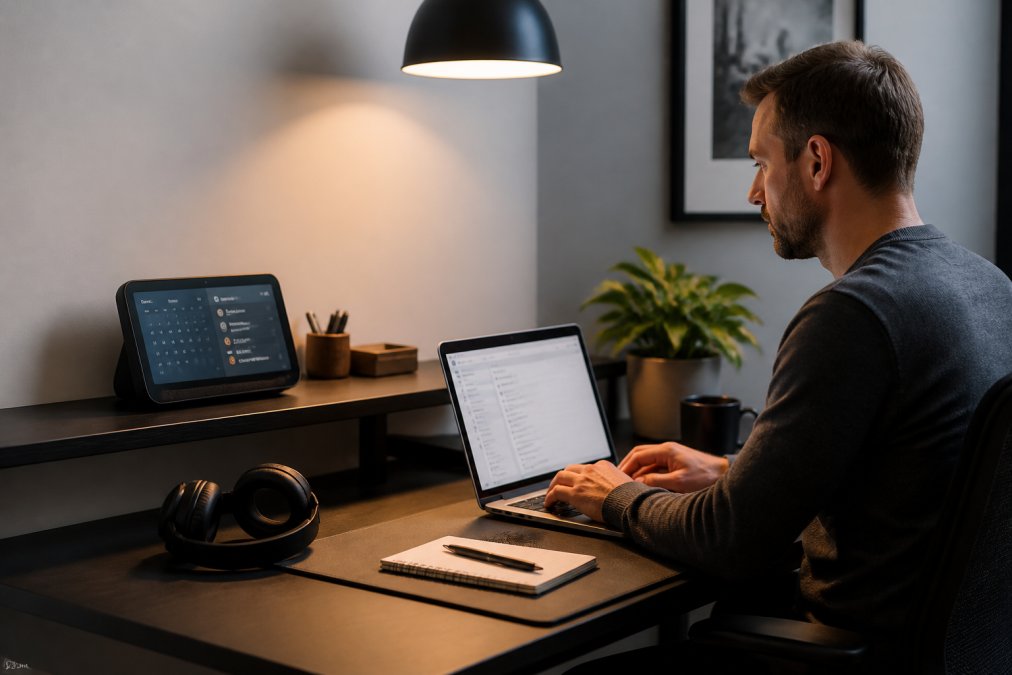
A smart display serves as your command center, handling voice queries without pulling you away from work, showing calendar information at a glance, and controlling other devices through simple commands.
The Amazon Echo Show 8 (2025) delivers practical value for most home offices. The 8-inch screen displays enough information to be useful without dominating your desk space. Auto-framing during video calls keeps you centered without manual adjustment. Compatibility with smart home devices spans the widest range of any display on the market.
The Google Nest Hub Max offers a premium alternative with a 10-inch display, built-in camera for security monitoring, and seamless Google Assistant integration if you use Gmail, Google Calendar, and Drive. At $229.00, it costs significantly more and demands more desk space.
For budget-conscious setups, the Echo Show 8 wins on value. For Google ecosystem users willing to spend more, the Nest Hub Max justifies its cost through tighter integration and superior audio.
Smart Lighting for Productivity and Focus
Lighting affects both mood and performance. Poor lighting causes eye strain. Inconsistent color temperature disrupts circadian rhythm. The right smart lighting adapts throughout your day, supporting focus during work hours and winding down before sleep.
Philips Hue Smart Lighting lets you adjust brightness and color temperature independently, crucial for reducing eye strain during screen work. Warm light in the afternoon supports sustained focus. Cooler light in the morning energizes. The artificial window effect simulates changing daylight, helping maintain alertness and mood throughout the day.
Initial setup requires a Hue Bridge for full functionality, adding cost and complexity. Individual bulbs start around $15-$50, but a complete productive setup typically requires multiple bulbs. Targeted, affordable lighting upgrades deliver measurable improvements in focus and comfort.
Smart Plugs and Power Management
Smart plugs represent the easiest entry point into home automation, adding intelligence to devices that weren't designed to be smart: lamps, fans, coffee makers, space heaters.
The TP-Link Kasa Smart Wi-Fi Plug Mini (KP105) excels at simplicity and affordability. At around $10-$15 per plug, the cost-to-benefit ratio is excellent. The compact design doesn't block adjacent outlets. Voice control works with both Alexa and Google Assistant, maintaining flexibility across ecosystems.
These plugs only turn devices on and off; they don't dim lights or adjust complex settings. For basic automation, turning off a monitor at end of day, scheduling a space heater, powering down phantom loads, the Kasa Mini handles everything you need. Energy monitoring on select models reveals which devices consume the most power, helping you identify efficiency opportunities.
The real value emerges when you combine multiple plugs into routines. A single voice command can power down your entire setup at day's end.
Noise Control and Audio Solutions
Noise is the most underrated productivity killer in home offices. Background noise fragments attention. Interruptions destroy deep work sessions.
The Sony WH-1000XM5 Noise-Canceling Headphones represent the gold standard for active noise cancellation. Eight microphones work together to detect and counteract ambient noise, creating a focused acoustic environment (sony.com). The 30-hour battery life means you're not hunting for a charger mid-workday (sony.com). Multipoint Bluetooth connection lets you switch between your laptop and phone seamlessly.
At around $280, these represent a significant investment. The return on investment becomes clear when you calculate focused work hours gained. If noise-canceling headphones add even 2-3 hours of uninterrupted deep work per week, the annual productivity gain justifies the purchase.
Air Quality and Climate Control
Indoor air quality directly impacts cognitive function. Poor air quality causes fatigue and reduces focus. Home offices often lack proper ventilation, allowing CO2, dust, and allergens to accumulate.
The Blueair 511i Max Air Purifier combines effective filtration with smart features. High-quality filtration removes dust, allergens, and odors without excessive noise. The smart app shows real-time air quality metrics, helping you understand whether your office actually needs the purifier running.
The Ecobee Smart Thermostat Premium handles temperature and air quality together. SmartSensors detect occupancy and adjust temperature automatically. The built-in air quality monitor tracks humidity and CO2 levels, alerting you when ventilation needs improvement. Learning your schedule, it optimizes comfort during work hours and relaxes settings outside work time, reducing energy consumption.
Installation may require a professional. At $249.99, it's a significant upfront investment, but energy savings compound over years.
Security Monitoring for Your Workspace
The Arlo Essential Indoor Camera (2025) offers 1080p HD recording with motion detection and alerts. The automated privacy shield physically blocks the lens when you're not monitoring. Two-way audio lets you communicate with family members or pets without leaving your desk.
The Wyze Cam v3 Pro proves you don't need to spend heavily for capable security. At around $49.99, it delivers 2K QHD resolution and color night vision. AI-powered person detection reduces false alerts. For basic monitoring, it's exceptional value.
Building a Budget Smart Home Office Setup
Creating an effective smart home office doesn't require spending thousands. A strategic, phased approach builds capability while keeping costs manageable.
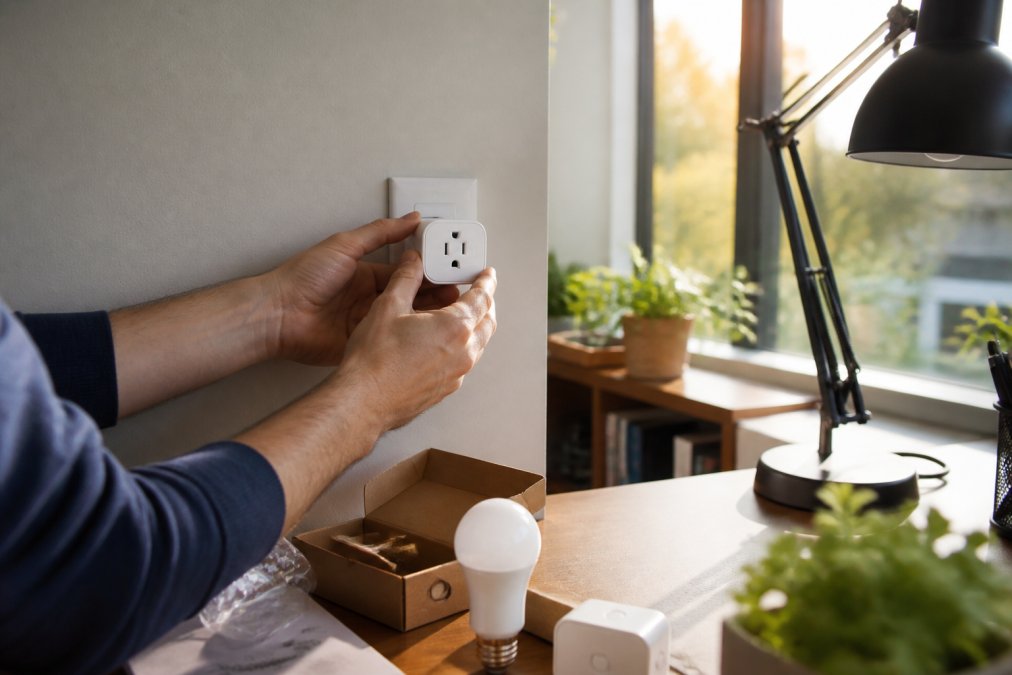
Start with devices that solve your most pressing problems. If noise is your biggest distraction, prioritize headphones or a smart display for voice control. If lighting causes eye strain, smart bulbs address that directly. If temperature swings interrupt focus, a smart thermostat matters most.
Phase one could involve a smart display and a few smart plugs to create a functional foundation.
Phase two could add targeted solutions like smart lighting and a noise-canceling solution to build on your foundation.
Phase three could introduce environmental control, such as an air purifier and smart thermostat, to optimize the broader workspace.
The Daily Drop by Ed Rivera offers bulk pricing on many products, making it possible to acquire multiple devices at better per-unit costs. Check back regularly as inventory and deals change; you might find the exact devices you need at significantly reduced prices.
Avoid buying everything at once. Devices you don't immediately need often sit unused. A phased approach lets you evaluate what actually improves your work before committing to the next purchase.
Smart Home Automation Companies and Ecosystem Integration
Device compatibility matters more than individual product quality. A smart display that doesn't control your lights or thermostat creates frustration rather than convenience. Most modern devices support Matter protocol or work with Alexa and Google Assistant, but integration depth varies.
Amazon's ecosystem (Alexa) offers the widest device compatibility. Thousands of third-party devices integrate with Alexa, giving you maximum flexibility. Google's ecosystem integrates more tightly with productivity tools. If you live in Google Workspace (Gmail, Drive, Calendar), Google Assistant understands your schedule and priorities better than competitors.
Apple's HomeKit ecosystem prioritizes privacy but requires Apple devices to function fully. For most home offices, Amazon's ecosystem provides the best balance of device selection and practical functionality.
The emerging Matter protocol promises better interoperability across ecosystems, reducing lock-in. As of 2026, Matter adoption is growing but still incomplete; check device specifications before assuming full compatibility.
Building a smart home office doesn't require choosing one ecosystem exclusively. Many professionals run hybrid setups: a Google Nest Hub for calendar integration, Alexa devices for broader device control, and HomeKit devices for privacy-critical areas.
Energy Efficiency Monitoring and Mental Wellness Tech
Smart home technology addresses energy consumption and mental health. Energy monitoring reveals which devices consume the most power. Many home offices waste energy through always-on equipment. Smart plugs with energy monitoring show you exactly which devices are culprits, letting you make informed decisions about scheduling or replacement.
Scheduling devices to turn off automatically during non-work hours typically reduces energy consumption by 15-25% without sacrificing functionality (energy.gov).
Mental wellness tech addresses the psychological toll of remote work. Circadian rhythm lighting supports natural sleep-wake cycles disrupted by indoor work. Air quality monitoring prevents cognitive fatigue caused by poor ventilation. Temperature stability reduces stress from uncomfortable environments.
A smart display can remind you to stand and stretch every 90 minutes. Smart lighting can signal end-of-day by gradually shifting to warmer tones, helping your brain transition from work mode to personal time. Noise-canceling headphones provide psychological relief beyond just blocking sound, reducing anxiety about interruptions and creating mental space for deep work.
Conclusion
Building the best smart home gadgets for home office 2026 setup requires matching devices to your actual workflow rather than chasing the newest technology. Start with your biggest pain point, add devices that solve real problems, and let your setup evolve as your needs clarify.
The Daily Drop by Ed Rivera makes it easier to build this setup affordably. With new deals added regularly across electronics, smart home devices, and home goods, you'll find quality products at prices that make sense. Check back often, inventory changes constantly, and bulk pricing is available for larger purchases. Whether you're outfitting your first home office or upgrading an existing workspace, real savings and real value are available every day.
===
Frequently Asked Questions
Q: What are the must-have smart home gadgets for a 2026 home office?
A: The essentials include a voice-activated smart display for hands-free control, smart lighting that adjusts color temperature for focus, a smart plug to automate device power, and noise-canceling headphones for concentration. Adding an air purifier and security camera completes a functional workspace. Start with one or two categories and expand based on your workflow needs and budget.
Q: How can best smart lighting for productivity improve my focus?
A: Smart lighting systems let you adjust brightness and color temperature throughout the day. Cooler, brighter light (5000K+) enhances alertness during peak work hours, while warmer tones (2700K) reduce eye strain in the afternoon. Many systems sync with circadian rhythms to support natural sleep cycles, which improves next-day focus. Programmable scenes eliminate manual adjustments and maintain consistent lighting for deep work.
Q: Are budget smart home office gadgets actually worth the investment?
A: Yes, especially when you prioritize high-impact items. A smart plug costs $10-15 and can automate multiple devices, cutting phantom power drain. Smart lighting runs $15-50 per bulb and reduces eye strain, boosting productivity. The Daily Drop by Ed Rivera offers competitive pricing on these essentials, making it affordable to start small and scale up as you identify what works for your workflow.
Q: How do I integrate smart home automation companies' products without a steep learning curve?
A: Start with a single ecosystem (Amazon Alexa, Google Assistant, or Apple HomeKit) and stick with brands that support it. Most modern smart gadgets work across platforms via Matter Protocol, which simplifies interoperability. Begin with voice control for one device, then add others gradually. Most products are plug-and-play, requiring only app setup and Wi-Fi connection. Check The Daily Drop by Ed Rivera for compatible bundles that simplify integration.
Q: What's the difference between smart plugs and smart lighting for energy efficiency?
A: Smart plugs control on/off power to any device, helping eliminate standby drain from printers, monitors, and speakers. Smart lighting reduces energy use through efficient LEDs and scheduling. Together, they create measurable energy savings. Smart plugs offer immediate, low-cost automation for existing devices, while smart lighting provides long-term efficiency gains and productivity benefits through optimized illumination and circadian rhythm support.
This article was written using GrandRanker